LocalSend software mark
LocalSend LAN sharing desk · LocalSend.dev
Home / faq
Skip to content

Knowledge Base

LocalSend Frequently Asked Questions

Clear answers about whether LocalSend is free, whether it works without internet, how HTTPS security works, which platforms are supported, where files save, antivirus alerts, and lawful use of this AirDrop alternative.

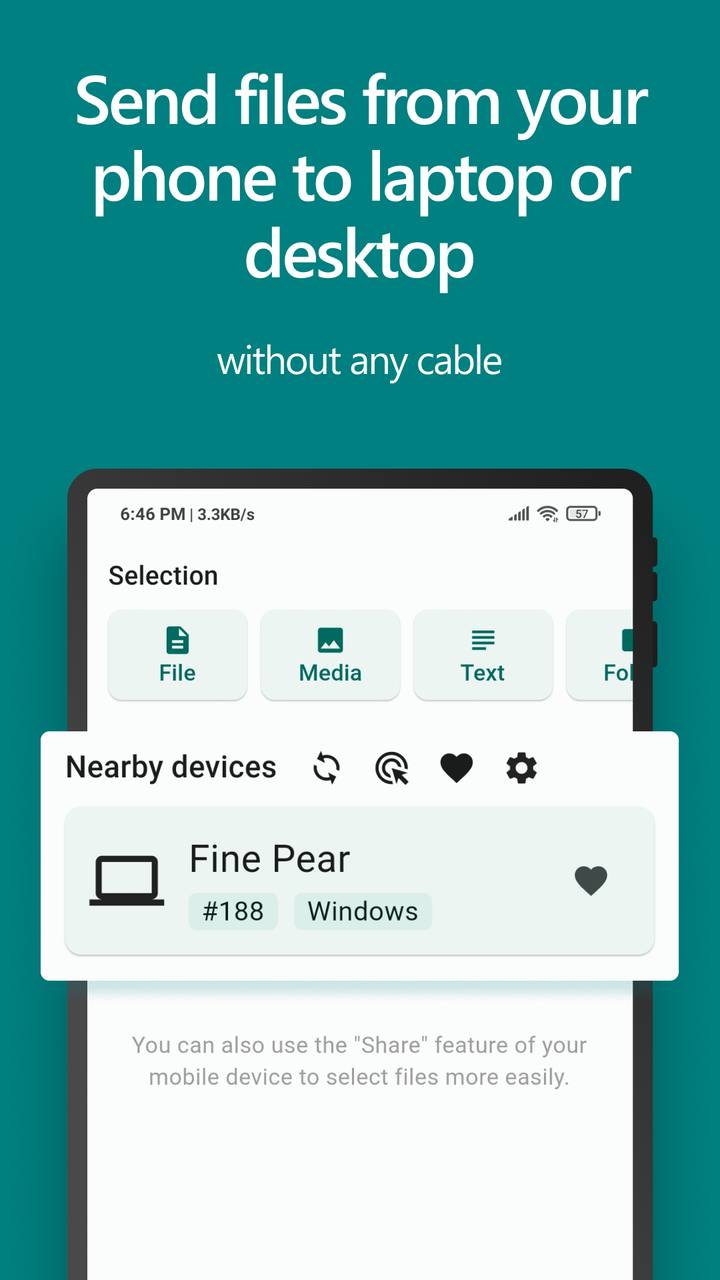
LocalSend mobile interface referenced in FAQ answers - LocalSend.dev visual
Yes. LocalSend is 100% free and open source. There are no ads, no tracking products sold with the app, and no hidden subscription required to share files on your local network.
No. LocalSend is built for local Wi-Fi or LAN transfers. Your files stay on the local network and are not uploaded to a LocalSend cloud relay.
Transfers are encrypted with HTTPS. Each device can generate its own TLS certificate for local communication. You can also enable PIN verification and keep receive confirmation turned on for stronger control.
LocalSend is available for Windows, macOS, Linux, Android, and iOS. Install it on each device you want to include in local sharing.
No. LocalSend does not require registration or login. Usage stays anonymous from an account perspective: install the app and start sharing on your network.
Files are saved to the device Downloads folder by default. You can change the destination in LocalSend settings when you prefer another folder.
LocalSend does not impose a cloud-style size cap. You can share small documents or multi-gigabyte media as long as both devices and the local network can handle the transfer.
Yes. You can send to a specific device, make content available more broadly on the local network, or share a local download link while LocalSend remains open on the sender device.
You still need a local network path between devices. A phone hotspot is a valid option: one device hosts the hotspot and the other joins it, then both run LocalSend.
Heuristic scanners may flag networking utilities that accept local connections. Verify the installer SHA256 from the Download page, then review the antivirus guide before allowing the file.
No. LocalSend is open-source file sharing software under the Apache 2.0 license. It is designed for legitimate local transfers. See Trust & Security for the full transparency statement.
Use LocalSend only to share content you own or are authorized to distribute, and only with devices and networks you are allowed to use. You remain responsible for complying with copyright law, workplace policy, and local regulations.
AirDrop works within Apple ecosystems. LocalSend targets mixed environments with Windows, macOS, Linux, Android, and iOS on the same local network, without requiring a LocalSend account.
Yes. Devices added to Favorites can be configured for automatic acceptance, which is useful when sending from a phone to a PC that is unlocked and running LocalSend.

Still stuck on a setup issue?

Step-by-step network and firewall help lives on the Guides page.

Open Guides

FAQ themes from the community

"The offline-only answer settled our security review quickly."

Team lead

"No account requirement is why we rolled it out to shared classroom tablets."

Education user

"PIN FAQ plus the guides page covered every receive concern we had."

Privacy-minded household

"The offline-only answer settled our security review quickly."

Team lead

"No account requirement is why we rolled it out to shared classroom tablets."

Education user

"PIN FAQ plus the guides page covered every receive concern we had."

Privacy-minded household

"The offline-only answer settled our security review quickly."

Team lead

"No account requirement is why we rolled it out to shared classroom tablets."

Education user

"PIN FAQ plus the guides page covered every receive concern we had."

Privacy-minded household

"The offline-only answer settled our security review quickly."

Team lead

"No account requirement is why we rolled it out to shared classroom tablets."

Education user

"PIN FAQ plus the guides page covered every receive concern we had."

Privacy-minded household